

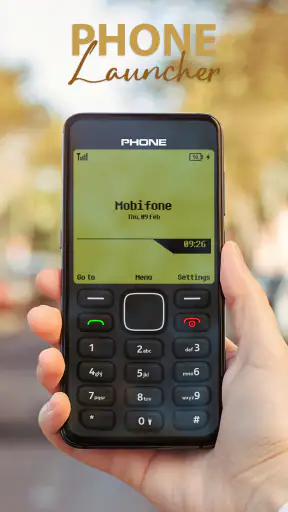
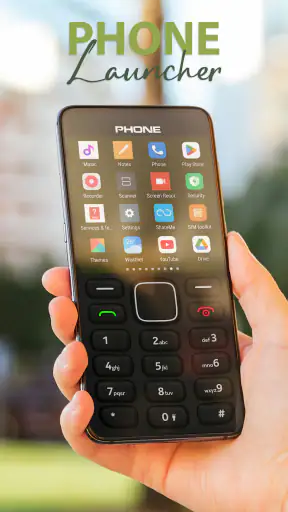
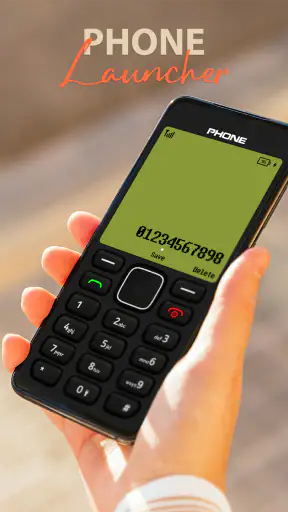
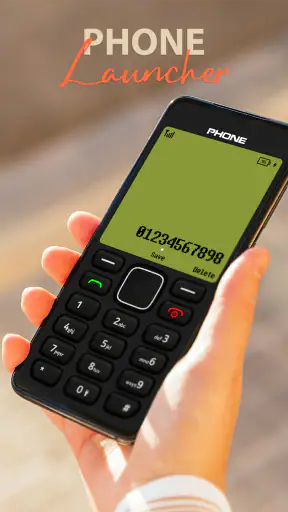
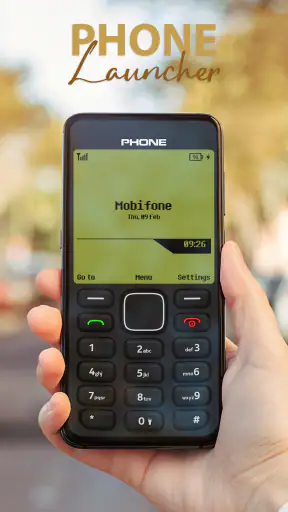
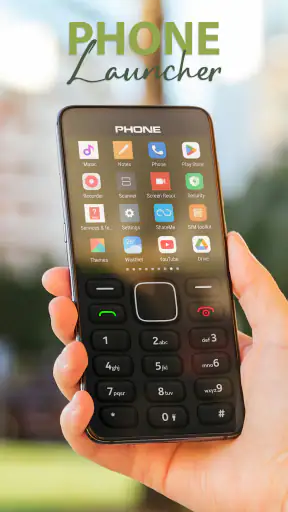
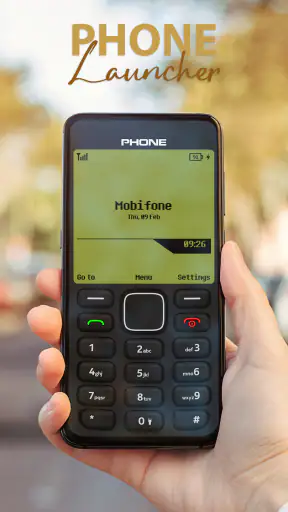
I tried Nokia 1280 Launcher as a way to make an Android phone feel less like a pocket computer and more like a simple classic handset. The idea is immediately clear: UniTiki has built a personalization app around the visual character of the old Nokia 1280, aiming to bring its restrained look to a modern Android device. That makes it interesting for people who miss uncomplicated menus, basic-looking screens, and a phone that does not constantly invite them to browse.
This is not a productivity suite or a replacement for every part of Android. It is a launcher, so its main job is to change the way you reach and view the apps already installed on your phone. In my experience, the appeal is less about adding new capabilities and more about changing the mood and rhythm of everyday use. If you want a deliberately nostalgic interface, it is an easy concept to understand. If you want a powerful home-screen system with deep customization, the same simplicity may feel restrictive.
What the app changes on an everyday phone
At its best, the launcher creates a visual pause between you and the usual Android experience. Instead of opening the phone to a busy arrangement of icons, widgets, and notification prompts, you get an interface designed to recall the classic Nokia style. That can make the device feel calmer, especially when your normal home screen has gradually filled with shortcuts you rarely touch.
I found the concept most useful when treating the phone as a tool rather than an entertainment hub. A person who mainly calls, messages, checks the time, opens maps, or uses a few essential apps may appreciate having fewer visual distractions. The launcher does not turn a smartphone into a genuinely limited feature phone, but it can make the first step toward distracting apps less automatic.
The important distinction is that this is personalization rather than a new operating system. Android still sits underneath the design, and your installed applications remain part of the experience. That means the launcher can provide a nostalgic front end without requiring a second device. It also means the result depends on how comfortably the launcher works with the Android phone you already own.
Cost is straightforward
Nokia 1280 Launcher is free to use. That makes the decision relatively low-risk: you can try the retro presentation without committing money to a theme or purchasing a separate handset. For this kind of app, free access matters because the main question is personal taste. The interface either makes your phone feel more pleasant or it does not, and you can find that out without treating the download as a major purchase.
Free does not automatically mean it is the best value for everyone. A launcher still takes time to set up, adjust to, and possibly remove if it does not fit your habits. I would judge its value by whether the simpler interface changes your daily behavior, not by the absence of a price tag. Someone who only wants a temporary nostalgia experiment may get enough from a short trial, while someone who wants a long-term minimalist home screen could find the download more worthwhile.
The app is marked for Everyone, which makes its presentation approachable for a broad audience. It was released on February 8, 2023, and the current version is 3.5. It supports Android 5.0 and later, so compatibility reaches well beyond recent flagship phones. That older minimum requirement is useful if you are reviving an older Android handset, although actual comfort will still depend on the device and Android environment.
The nostalgia is useful when it serves a purpose
The strongest value is emotional and practical at the same time. A familiar old-phone look can make an aging spare phone feel intentional instead of outdated. I can imagine installing it on a backup handset kept in the kitchen, workshop, car, or guest room, where the goal is quick access to a few functions rather than a polished modern home screen.
It also suits people who want to reduce visual temptation without completely abandoning smartphone features. For example, I would consider it for a family member who finds a standard Android interface too busy but still needs access to modern apps. The launcher may provide a gentler starting point than asking that person to learn an entirely different device. The trade-off is that the person must still understand that the underlying smartphone has not disappeared.
Another worthwhile use is a temporary digital reset. Before a trip, a study period, or a demanding work week, a deliberately plain launcher can make the phone feel less like an endless feed. This is not the same as blocking applications or managing screen time, so it should not be treated as a complete digital-wellbeing solution. Its benefit comes from adding a small amount of friction and changing what you see first.
How it compares with ordinary Android launchers
The default launcher supplied with a phone is usually better integrated with that manufacturer’s features. It may handle widgets, gestures, search, icon layouts, and system shortcuts in a way that feels natural for the device. A mainstream third-party launcher generally offers the opposite of this Nokia-inspired approach: more control over grids, icon packs, folders, animations, and visual details.
Nokia 1280 Launcher makes more sense when you are choosing character over flexibility. It is not the obvious option for someone who spends time arranging multiple pages, building widget dashboards, or matching every icon to a personal theme. A conventional minimalist launcher may be a better fit if you want a clean screen but still expect modern layout controls. The Nokia approach is more specific: it asks you to accept a retro identity rather than design everything yourself.
That specificity is also why it feels more memorable than a generic plain launcher. A blank home screen can look unfinished, while a deliberately old-fashioned presentation communicates a clear choice. I liked that distinction, but it will divide users. If the classic Nokia appearance makes you smile, the restraint feels purposeful. If you only want efficiency, the styling may seem like an unnecessary layer between you and Android.
Trade-offs I noticed before making it a daily launcher
Simplicity can become friction
The central compromise is obvious after the novelty settles: a nostalgic interface may not be the fastest route to every modern app. On a phone packed with banking tools, work applications, smart-home controls, media services, and travel apps, a classic layout can make the inventory feel less immediately visible. You may need to spend more time navigating than you would with a familiar grid and search-focused home screen.
That is not necessarily a flaw, because some users install the app specifically to slow themselves down. Still, I would not recommend it blindly to someone who depends on rapid app switching. If your daily routine involves opening several different apps repeatedly, the visual charm may not compensate for extra steps. The right question is whether you want the launcher to optimize access or to make access feel more deliberate.
Notifications are another area where expectations need to stay realistic. A launcher can change the home-screen experience, but it does not erase the notification system or the habits created by individual apps. You may still receive the same alerts, badges, and interruptions from Android. The retro surface can make the phone look quieter, yet it cannot by itself decide which services are allowed to demand your attention.
Older support is helpful, but not a guarantee of identical behavior
Support for Android 5.0 and later is a practical advantage for owners of older phones. It also suggests that the app is not aimed only at people with expensive new hardware. However, launcher behavior can vary between manufacturers, Android versions, navigation systems, and default-app settings. I would treat the first installation as a test rather than assuming every phone will feel exactly the same.
Before relying on it, I would check the basic routine: return to the home screen, open the applications you use most, receive a notification, rotate the device if you normally do so, and switch back to the previous launcher if needed. This is especially sensible on an older or heavily customized phone. A launcher is the layer you touch constantly, so a small compatibility annoyance can become more irritating than an occasional problem in an app you open once a week.
The visual theme may not match every screen
A classic-phone design works because it is cohesive. Modern Android applications, however, are made for contemporary displays and interfaces. Moving between the nostalgic launcher and a bright, feature-rich app can feel abrupt. That contrast is part of the fun for some people, but others may find it breaks the illusion.
I also would not install it expecting the entire phone to become a perfect historical replica. The launcher changes the entry point and the surrounding presentation; it does not make modern applications behave like old monochrome utilities. The closer your expectations are to “retro home screen,” the happier you are likely to be. Expecting a complete transformation of every Android surface will make the experience feel incomplete.
Small setup habits make the trial more useful
My practical advice is to test it during an ordinary day rather than only admiring it for a few minutes. Put the apps you actually need within easy reach, then see whether the arrangement helps when you are in a hurry. A launcher can look excellent in a calm setup session and become inconvenient when you need a transport app, a password manager, or a work tool immediately.
I would also keep the previous launcher available until the new routine proves itself. That is not because changing launchers is inherently dangerous; it is simply a sensible way to avoid feeling trapped by a design experiment. If you use the phone for work or urgent communication, make sure you can still reach those functions comfortably before making the retro interface your permanent choice.
Who gets the most value from it
The clearest audience is someone who genuinely enjoys the classic Nokia look and wants that feeling on an Android phone. Nostalgia is not a minor detail here; it is the reason to choose this app over a neutral launcher. Former feature-phone users, collectors, and people who enjoy retro technology will probably understand the appeal immediately.
It is also a reasonable choice for a spare-phone owner. Imagine keeping an older Android device beside the front door for calls, messages, a flashlight, and occasional navigation. A restrained launcher can make that device easier to understand at a glance and less tempting to use for endless browsing. Because the app is free, it is particularly easy to test in that role without spending money on a dedicated minimalist handset.
Parents or relatives who feel overwhelmed by a standard smartphone may also find the presentation less intimidating. I would still set up the essential applications carefully and explain that the phone remains a modern Android device underneath. The launcher can simplify the first impression, but it cannot replace clear instruction or accessibility adjustments when those are needed.
There is value for people experimenting with healthier phone habits, too, provided they understand the limits. The visual change can interrupt muscle memory: instead of tapping the same colorful social icon automatically, you may pause and decide what you actually intended to do. That is a useful behavioral nudge, not a full control system. Someone who needs strict app blocking, detailed usage reports, or strong notification management should look to Android’s built-in tools or a dedicated digital-wellbeing solution alongside, or instead of, this launcher.
Who should skip it
I would skip it if your main priority is maximum customization. Users who want elaborate widgets, carefully tuned icon packs, multiple home-screen profiles, or advanced gesture workflows will probably be happier with a launcher designed around those features. The Nokia-inspired identity is the point, and that identity naturally leaves less room for turning the home screen into a personal dashboard.
I would also be cautious if you frequently depend on instant visual recognition. A modern grid can be faster when you know exactly where an app sits. The retro layout may be more enjoyable for occasional use than for a phone that supports a busy professional routine. In that situation, the default launcher or a productivity-oriented alternative is likely to offer better value, even if it has less personality.
Finally, people who dislike nostalgia-driven design should not choose it simply because it is free. Free access removes the financial barrier, but it does not remove the learning curve of adapting to a different interface. If the old Nokia appearance means nothing to you, a clean contemporary launcher will probably deliver the same practical goal with fewer compromises.
My verdict after weighing the free value
UniTiki’s Nokia 1280 Launcher is a focused personalization app rather than a universal Android upgrade. Its free price makes experimentation easy, and its support for Android 5.0 and later gives it a useful place on older devices as well as newer ones. The average rating is 3.8 from around 13 thousand ratings, with 63 written reviews, while the app has passed 5 million installs. Those figures suggest broad curiosity and use, but they do not replace the more important question: does this particular style suit your routine?
For me, the answer is yes when the goal is a calmer, more characterful front end, especially on a secondary phone or during a short digital reset. The most valuable insight is that the app works best when you accept its limits. It is not trying to compete with feature-heavy launchers on customization, nor does it make modern Android behave exactly like a feature phone. It changes the doorway, not the whole house.
I would recommend trying it if you miss the old Nokia experience, want a distinctive retro home screen, or need a gentle way to make an older Android handset feel usable again. Give it a normal-day test, keep your essential apps easy to reach, and judge the number of steps in your real routine rather than the first burst of nostalgia. Choose it for the focused retro atmosphere, not for advanced launcher control.
My final recommendation is to install it when personality and simplicity matter more than speed and flexibility. Skip it when your phone is a dense work tool, when widgets and gestures are central to your workflow, or when you need serious notification and app-blocking controls. In those cases, the standard Android launcher or a more configurable alternative will be the better choice. For the right user, though, this free app delivers a surprisingly clear change in how the phone feels from the moment the screen comes on.


